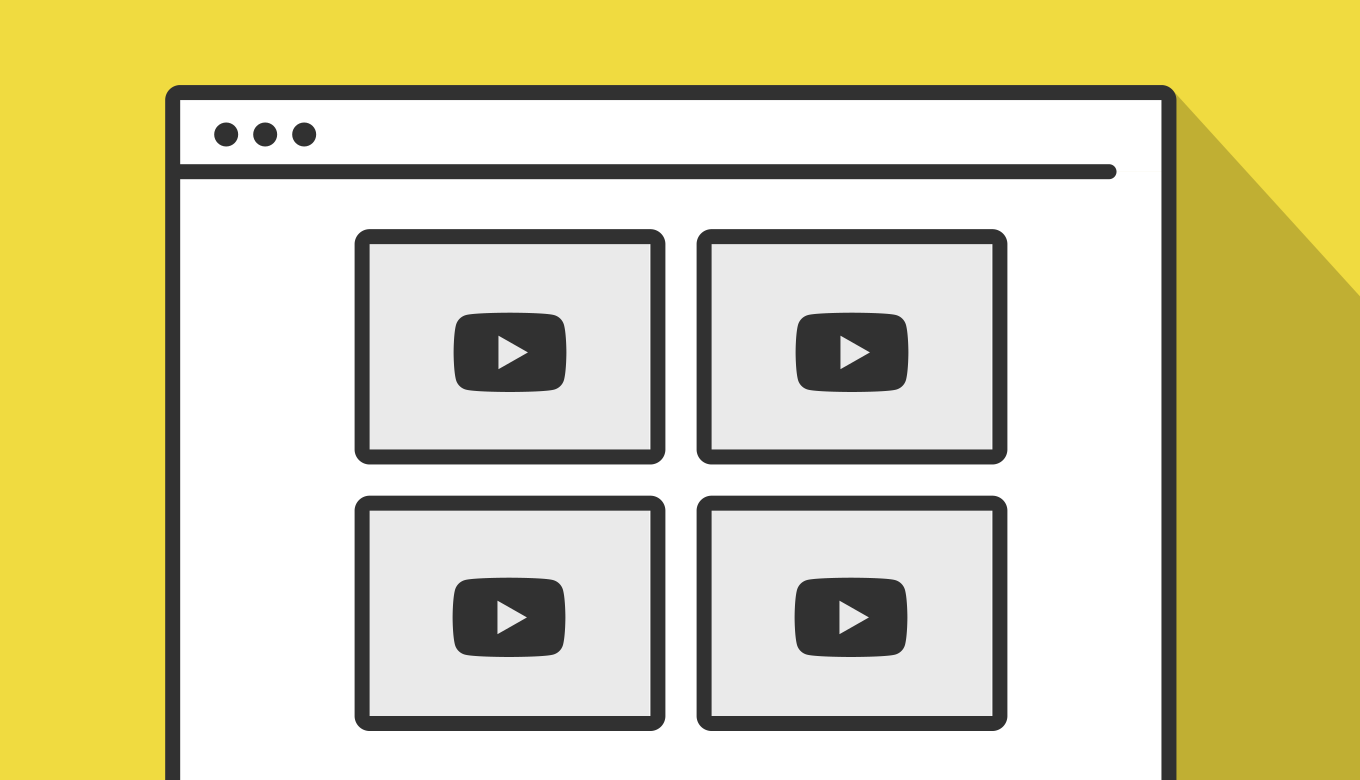
YouTubeの一覧画面のように、サムネイルにマウスを乗せると動画がプレビュー再生され、スマホでは画面に入ったタイミングで自動再生される仕組みの作成について解説しています。
今回は、それに加えて2つのポイントを押さえています。1つは、一度hoverを外して再生が止まっても、次にhoverしたときに続きから再生されること(動画の再生位置を保持すること)。もう1つは、PCのhover中・スマホの自動再生中のどちらでも、下部のシークバーをドラッグして再生位置を変えられることです。

サンプルの動画は、ABEMA Primeさんのチャンネルから4本お借りしています。
IntersectionObserverとは
IntersectionObserverは、ある要素が画面(ビューポート)に入ったかどうかを検知するためのブラウザAPIです。以前はscrollイベントを監視して座標を計算する方法が主流でしたが、頻繁に発火するscrollイベントの処理は重くなりがちでした。IntersectionObserverを使うと、ブラウザ側で効率よく交差判定をしてくれるので、パフォーマンスへの負担が少なく済みます。
基本的な使い方は、以下のようになります:
const observer = new IntersectionObserver((entries) => {
  entries.forEach((entry) => {
    console.log(entry.isIntersecting); // 画面内に入っているかどうか(true / false)
  });
}, {
  threshold: 0.6, // 60%見えたタイミングで判定する
});

observer.observe(document.querySelector('.target'));コールバック関数の引数entriesには、監視している要素の状態が配列で渡されます。それぞれのentry.isIntersectingを見れば、その要素が「今、画面内にあるかどうか」を判定できます。thresholdオプションで、何%見えた時点で判定するかも指定できます。
スマホ側の実装では、このentry.isIntersectingがtrueになったタイミングで、あわせて回線状況もチェックしてから再生する、という流れにしています。
ホバー・自動再生・シークのサンプル
それでは、早速サンプルです。
PCでは、各サムネイルにマウスを乗せている間だけ動画がプレビュー再生されます。スマホなど、hoverができない環境では、サムネイルが画面にある程度入ったタイミングで自動再生されます(回線が遅い場合やデータセーバーがONの場合は再生されません)。一度再生した動画は、hoverを外して一時停止しても再生位置が保持され、次にhoverしたときは続きから再生されます。
再生中は、サムネイル下部に赤いシークバーが表示されます。これをドラッグすると、PCでもスマホでも、再生位置を自由に変更できます。

【発達障害】「就活で伝えず」7割超…ASD・ADHD当事者と考える働きやすい職場|アベプラ

【不登校の親】「学校に行きなさい」促し続け後悔…子どものSOSにどう向き合う?|アベプラ

【投げ銭】「推しのために…」高級車1台分を費やした人と考える依存と規制|アベプラ

【ICCに制裁】国際刑事裁判所の日本人所長らが対象に…トランプの狙いを分析|アベプラ
シークバーは<input type="range">ではなく、あえてdivを自作しています。サイトによっては、range入力を独自にスタイリングするCSSが既に他の場所で使われていて、意図せず衝突してしまうことがあるためです。
実装の手順と方法
コードの詳細の前に、実装の手順と方法について解説していきます。
サムネイル画像、プレイヤーの入れ物(.video-player)、そしてシークバー用のdiv(.video-seek)を、あらかじめ用意しておきます。
<div class="jsSample-hoverPlay">
  <div class="video-card" data-video-id="pPaNVkgVn9o">
    <div class="video-thumb">
      <img class="video-thumb-img" src="https://i.ytimg.com/vi/pPaNVkgVn9o/hqdefault.jpg" alt="" loading="lazy">
      <div class="video-player" id="player-pPaNVkgVn9o"></div>
      <div class="video-seek">
        <div class="video-seek-fill"></div>
      </div>
    </div>
    <p class="video-title">【発達障害】「就活で伝えず」7割超…ASD・ADHD当事者と考える働きやすい職場|アベプラ</p>
  </div>
  <div class="video-card" data-video-id="ecA2vWj9Xr8">
    <div class="video-thumb">
      <img class="video-thumb-img" src="https://i.ytimg.com/vi/ecA2vWj9Xr8/hqdefault.jpg" alt="" loading="lazy">
      <div class="video-player" id="player-ecA2vWj9Xr8"></div>
      <div class="video-seek">
        <div class="video-seek-fill"></div>
      </div>
    </div>
    <p class="video-title">【不登校の親】「学校に行きなさい」促し続け後悔…子どものSOSにどう向き合う?|アベプラ</p>
  </div>
  <div class="video-card" data-video-id="gsDdCmTMCEM">
    <div class="video-thumb">
      <img class="video-thumb-img" src="https://i.ytimg.com/vi/gsDdCmTMCEM/hqdefault.jpg" alt="" loading="lazy">
      <div class="video-player" id="player-gsDdCmTMCEM"></div>
      <div class="video-seek">
        <div class="video-seek-fill"></div>
      </div>
    </div>
    <p class="video-title">【投げ銭】「推しのために…」高級車1台分を費やした人と考える依存と規制|アベプラ</p>
  </div>
  <div class="video-card" data-video-id="AmUBIeEalT0">
    <div class="video-thumb">
      <img class="video-thumb-img" src="https://i.ytimg.com/vi/AmUBIeEalT0/hqdefault.jpg" alt="" loading="lazy">
      <div class="video-player" id="player-AmUBIeEalT0"></div>
      <div class="video-seek">
        <div class="video-seek-fill"></div>
      </div>
    </div>
    <p class="video-title">【ICCに制裁】国際刑事裁判所の日本人所長らが対象に…トランプの狙いを分析|アベプラ</p>
  </div>
</div>サムネイル・プレイヤー・シークバーを重ねて配置し、is-playingクラスの有無で表示を切り替えます。シークバーは<input type="range">ではなくdivで自作しています。
.jsSample-hoverPlay {
  display: grid;
  grid-template-columns: repeat(2, 1fr);
  gap: 24px;
  margin-top: 20px;
}
.video-card { cursor: pointer; }
.video-thumb {
  position: relative;
  width: 100%;
  aspect-ratio: 16 / 9;
  background: #000;
  border-radius: 8px;
  overflow: hidden;
}
.video-thumb-img,
.video-player,
.video-player iframe {
  position: absolute;
  inset: 0;
  width: 100%;
  height: 100%;
  object-fit: cover;
  border: none;
}
.video-player {
  opacity: 0;
  pointer-events: none;
  transition: opacity 0.15s ease;
}
.video-thumb.is-playing .video-player { opacity: 1; }
.video-thumb.is-playing .video-thumb-img { opacity: 0; }

/* シークバー(inputではなく、divを自作してスタイル崩れを防ぐ) */
.video-seek {
  position: absolute;
  left: 8px;
  right: 8px;
  bottom: 8px;
  height: 4px;
  border-radius: 2px;
  background: rgba(255, 255, 255, 0.4);
  z-index: 2;
  opacity: 0;
  pointer-events: none;
  transition: opacity 0.15s ease;
  cursor: pointer;
}
.video-thumb.is-playing .video-seek {
  opacity: 1;
  pointer-events: auto;
}
.video-seek-fill {
  position: relative;
  height: 100%;
  width: 0%;
  border-radius: 2px;
  background: #ff0000;
}
.video-seek-fill::after {
  content: '';
  position: absolute;
  top: 50%;
  right: -5px;
  transform: translateY(-50%);
  width: 10px;
  height: 10px;
  border-radius: 50%;
  background: #fff;
}

.video-title {
  margin: 10px 0 0;
  font-size: 0.95rem;
  font-weight: 600;
  line-height: 1.5;
}
@media (max-width: 600px) {
  .jsSample-hoverPlay { grid-template-columns: 1fr; }
}YouTube IFrame Player APIを使って、初回hover時だけプレイヤーを生成し、以降は同じプレイヤーを再利用します。mouseleave時はpauseVideo()のみを行い、再生位置を保持します。
document.addEventListener('DOMContentLoaded', function () {
  const cards = document.querySelectorAll('.video-card');
  const isHoverable = window.matchMedia('(hover: hover)').matches;
  const players = {};
  let apiReady = false;
  let pendingCard = null;

  const tag = document.createElement('script');
  tag.src = 'https://www.youtube.com/iframe_api';
  document.head.appendChild(tag);

  window.onYouTubeIframeAPIReady = function () {
    apiReady = true;
    if (pendingCard && pendingCard.matches(':hover')) {
      play(pendingCard);
    }
    pendingCard = null;
  };

  function play(card) {
    const videoId = card.dataset.videoId;
    card.querySelector('.video-thumb').classList.add('is-playing');

    if (players[videoId]) {
      players[videoId].playVideo();
      return;
    }

    if (!apiReady) {
      pendingCard = card;
      return;
    }

    players[videoId] = new YT.Player('player-' + videoId, {
      videoId: videoId,
      playerVars: { controls: 0, modestbranding: 1, playsinline: 1 },
      events: {
        onReady: function (e) {
          e.target.mute();
          e.target.playVideo();
        },
      },
    });
  }

  function pause(card) {
    const videoId = card.dataset.videoId;
    card.querySelector('.video-thumb').classList.remove('is-playing');
    const player = players[videoId];
    if (player && typeof player.pauseVideo === 'function') {
      player.pauseVideo();
    }
  }

  // ...(PC/スマホの分岐、シークバーは次のステップで追記)
});再生中は一定間隔で現在の再生位置を取得してバーに反映し、逆にバーをドラッグしたときはseekTo()で動画側の再生位置を変更します。
document.addEventListener('DOMContentLoaded', function () {
  const cards = document.querySelectorAll('.video-card');
  const isHoverable = window.matchMedia('(hover: hover)').matches;
  const players = {};
  const timers = {};
  let apiReady = false;
  let pendingCard = null;

  // YouTube IFrame APIを読み込む
  const tag = document.createElement('script');
  tag.src = 'https://www.youtube.com/iframe_api';
  document.head.appendChild(tag);

  window.onYouTubeIframeAPIReady = function () {
    apiReady = true;
    // API待ちの間にhoverされていたカードがあれば、ここで再生する
    if (pendingCard && pendingCard.matches(':hover')) {
      play(pendingCard);
    }
    pendingCard = null;
  };

  function setFill(card, percent) {
    card.querySelector('.video-seek-fill').style.width = percent + '%';
  }

  function startTracking(card, player) {
    const videoId = card.dataset.videoId;
    clearInterval(timers[videoId]);
    timers[videoId] = setInterval(() => {
      if (card.dataset.seeking === 'true') return; // ドラッグ中は自動更新しない
      const duration = player.getDuration();
      if (!duration) return;
      setFill(card, (player.getCurrentTime() / duration) * 100);
    }, 250);
  }

  function stopTracking(videoId) {
    clearInterval(timers[videoId]);
  }

  function play(card) {
    const videoId = card.dataset.videoId;
    card.querySelector('.video-thumb').classList.add('is-playing');

    if (players[videoId]) {
      // 2回目以降:すでにあるプレイヤーを再生するだけ
      // → pauseVideo()した位置から続きが再生される
      players[videoId].playVideo();
      return;
    }

    if (!apiReady) {
      // IFrame APIの読み込みがまだ終わっていない場合は、準備でき次第再生する
      pendingCard = card;
      return;
    }

    // 初回のhover時だけ、ここでプレイヤーを生成する
    players[videoId] = new YT.Player('player-' + videoId, {
      videoId: videoId,
      playerVars: { controls: 0, modestbranding: 1, playsinline: 1 },
      events: {
        onReady: function (e) {
          e.target.mute(); // 自動再生ポリシー対策でミュートにしておく
          e.target.playVideo();
        },
        onStateChange: function (e) {
          if (e.data === YT.PlayerState.PLAYING) {
            startTracking(card, e.target);
          } else {
            stopTracking(videoId);
          }
        },
      },
    });
  }

  function pause(card) {
    const videoId = card.dataset.videoId;
    card.querySelector('.video-thumb').classList.remove('is-playing');

    const player = players[videoId];
    // 破棄(destroy)ではなく、一時停止(pauseVideo)だけを行う
    // → 再生位置を保持したまま止められる
    if (player && typeof player.pauseVideo === 'function') {
      player.pauseVideo();
    }
  }

  // シークバー(div自作版)の操作
  cards.forEach((card) => {
    const videoId = card.dataset.videoId;
    const seek = card.querySelector('.video-seek');

    function percentFromEvent(e) {
      const rect = seek.getBoundingClientRect();
      const clientX = e.touches ? e.touches[0].clientX : e.clientX;
      const x = clientX - rect.left;
      return Math.min(100, Math.max(0, (x / rect.width) * 100));
    }

    seek.addEventListener('pointerdown', (e) => {
      e.stopPropagation(); // カードのmouseleaveが誤って発火しないようにする
      card.dataset.seeking = 'true';
      setFill(card, percentFromEvent(e));

      function onMove(ev) {
        setFill(card, percentFromEvent(ev));
      }

      function onUp(ev) {
        const percent = percentFromEvent(ev);
        setFill(card, percent);

        const player = players[videoId];
        if (player && typeof player.seekTo === 'function') {
          player.seekTo((percent / 100) * player.getDuration(), true);
        }

        card.dataset.seeking = 'false';
        document.removeEventListener('pointermove', onMove);
        document.removeEventListener('pointerup', onUp);
      }

      document.addEventListener('pointermove', onMove);
      document.addEventListener('pointerup', onUp);
    });
  });

  if (isHoverable) {
    // PC: hoverしている間だけ再生する
    cards.forEach((card) => {
      card.addEventListener('mouseenter', () => play(card));
      card.addEventListener('mouseleave', () => pause(card));
    });
  } else {
    // スマホ: 回線状況を見つつ、ビューポートに入ったら再生する
    const connection = navigator.connection || navigator.webkitConnection;

    function canAutoplay() {
      if (!connection) return true;
      if (connection.saveData) return false;
      return !['slow-2g', '2g', '3g'].includes(connection.effectiveType);
    }

    const observer = new IntersectionObserver(
      (entries) => {
        entries.forEach((entry) => {
          const card = entry.target.closest('.video-card');
          if (entry.isIntersecting && canAutoplay()) {
            play(card);
          } else {
            pause(card);
          }
        });
      },
      { threshold: 0.6 }
    );

    cards.forEach((card) => {
      observer.observe(card.querySelector('.video-thumb'));
    });
  }
});
ざっくりとしたコードの解説
コードは、HTML・CSS・JavaScriptの3種類です。ざっくりですが、順に解説していきます。
HTML
各動画カード(.video-card)には、サムネイル画像・プレイヤーの入れ物・シークバー用のdivを、最初からすべて用意しておきます。
<div class="jsSample-hoverPlay">
  <div class="video-card" data-video-id="pPaNVkgVn9o">
    <div class="video-thumb">
      <img class="video-thumb-img" src="https://i.ytimg.com/vi/pPaNVkgVn9o/hqdefault.jpg" alt="" loading="lazy">
      <div class="video-player" id="player-pPaNVkgVn9o"></div>
      <div class="video-seek">
        <div class="video-seek-fill"></div>
      </div>
    </div>
    <p class="video-title">【発達障害】「就活で伝えず」7割超…ASD・ADHD当事者と考える働きやすい職場|アベプラ</p>
  </div>
  <div class="video-card" data-video-id="ecA2vWj9Xr8">
    <div class="video-thumb">
      <img class="video-thumb-img" src="https://i.ytimg.com/vi/ecA2vWj9Xr8/hqdefault.jpg" alt="" loading="lazy">
      <div class="video-player" id="player-ecA2vWj9Xr8"></div>
      <div class="video-seek">
        <div class="video-seek-fill"></div>
      </div>
    </div>
    <p class="video-title">【不登校の親】「学校に行きなさい」促し続け後悔…子どものSOSにどう向き合う?|アベプラ</p>
  </div>
  <div class="video-card" data-video-id="gsDdCmTMCEM">
    <div class="video-thumb">
      <img class="video-thumb-img" src="https://i.ytimg.com/vi/gsDdCmTMCEM/hqdefault.jpg" alt="" loading="lazy">
      <div class="video-player" id="player-gsDdCmTMCEM"></div>
      <div class="video-seek">
        <div class="video-seek-fill"></div>
      </div>
    </div>
    <p class="video-title">【投げ銭】「推しのために…」高級車1台分を費やした人と考える依存と規制|アベプラ</p>
  </div>
  <div class="video-card" data-video-id="AmUBIeEalT0">
    <div class="video-thumb">
      <img class="video-thumb-img" src="https://i.ytimg.com/vi/AmUBIeEalT0/hqdefault.jpg" alt="" loading="lazy">
      <div class="video-player" id="player-AmUBIeEalT0"></div>
      <div class="video-seek">
        <div class="video-seek-fill"></div>
      </div>
    </div>
    <p class="video-title">【ICCに制裁】国際刑事裁判所の日本人所長らが対象に…トランプの狙いを分析|アベプラ</p>
  </div>
</div>
CSS
サムネイル・プレイヤー・シークバーをposition: absoluteで重ね、is-playingクラスが付いているときだけ、プレイヤーとシークバーを表示するようにしています。シークバーの「赤い部分」は、内側の.video-seek-fillのwidthをJavaScriptから変更することで表現しています。
.jsSample-hoverPlay {
  display: grid;
  grid-template-columns: repeat(2, 1fr);
  gap: 24px;
  margin-top: 20px;
}
.video-card { cursor: pointer; }
.video-thumb {
  position: relative;
  width: 100%;
  aspect-ratio: 16 / 9;
  background: #000;
  border-radius: 8px;
  overflow: hidden;
}
.video-thumb-img,
.video-player,
.video-player iframe {
  position: absolute;
  inset: 0;
  width: 100%;
  height: 100%;
  object-fit: cover;
  border: none;
}
.video-player {
  opacity: 0;
  pointer-events: none;
  transition: opacity 0.15s ease;
}
.video-thumb.is-playing .video-player { opacity: 1; }
.video-thumb.is-playing .video-thumb-img { opacity: 0; }

/* シークバー(inputではなく、divを自作してスタイル崩れを防ぐ) */
.video-seek {
  position: absolute;
  left: 8px;
  right: 8px;
  bottom: 8px;
  height: 4px;
  border-radius: 2px;
  background: rgba(255, 255, 255, 0.4);
  z-index: 2;
  opacity: 0;
  pointer-events: none;
  transition: opacity 0.15s ease;
  cursor: pointer;
}
.video-thumb.is-playing .video-seek {
  opacity: 1;
  pointer-events: auto;
}
.video-seek-fill {
  position: relative;
  height: 100%;
  width: 0%;
  border-radius: 2px;
  background: #ff0000;
}
.video-seek-fill::after {
  content: '';
  position: absolute;
  top: 50%;
  right: -5px;
  transform: translateY(-50%);
  width: 10px;
  height: 10px;
  border-radius: 50%;
  background: #fff;
}

.video-title {
  margin: 10px 0 0;
  font-size: 0.95rem;
  font-weight: 600;
  line-height: 1.5;
}
@media (max-width: 600px) {
  .jsSample-hoverPlay { grid-template-columns: 1fr; }
}
JavaScript
再生・一時停止まわりは、YT.Playerのインスタンスを動画ごとに1つだけ作って使い回し、mouseleave時はdestroy()せずpauseVideo()だけを行うことで、再生位置を保持しています。
ここで気をつけたいのが、YouTube IFrame APIの読み込みタイミングです。APIの読み込みが終わる前にhoverされてしまうと、YTがまだ存在せず、プレイヤーを作れません。そこで、読み込みが終わっていない場合はpendingCardにカードを覚えておき、onYouTubeIframeAPIReadyが呼ばれたタイミングで、まだhoverされたままであれば再生する、という形にしています。
シークバーまわりは、再生中にsetIntervalでplayer.getCurrentTime()とplayer.getDuration()を取得し、その割合を.video-seek-fillの幅に反映し続けています。逆にユーザーがバーを操作したときは、pointerdown〜pointerupの間のマウス(または指の)位置から割合を計算し、player.seekTo(秒数, true)で動画側の再生位置を変更します。
document.addEventListener('DOMContentLoaded', function () {
  const cards = document.querySelectorAll('.video-card');
  const isHoverable = window.matchMedia('(hover: hover)').matches;
  const players = {};
  const timers = {};
  let apiReady = false;
  let pendingCard = null;

  // YouTube IFrame APIを読み込む
  const tag = document.createElement('script');
  tag.src = 'https://www.youtube.com/iframe_api';
  document.head.appendChild(tag);

  window.onYouTubeIframeAPIReady = function () {
    apiReady = true;
    // API待ちの間にhoverされていたカードがあれば、ここで再生する
    if (pendingCard && pendingCard.matches(':hover')) {
      play(pendingCard);
    }
    pendingCard = null;
  };

  function setFill(card, percent) {
    card.querySelector('.video-seek-fill').style.width = percent + '%';
  }

  function startTracking(card, player) {
    const videoId = card.dataset.videoId;
    clearInterval(timers[videoId]);
    timers[videoId] = setInterval(() => {
      if (card.dataset.seeking === 'true') return; // ドラッグ中は自動更新しない
      const duration = player.getDuration();
      if (!duration) return;
      setFill(card, (player.getCurrentTime() / duration) * 100);
    }, 250);
  }

  function stopTracking(videoId) {
    clearInterval(timers[videoId]);
  }

  function play(card) {
    const videoId = card.dataset.videoId;
    card.querySelector('.video-thumb').classList.add('is-playing');

    if (players[videoId]) {
      // 2回目以降:すでにあるプレイヤーを再生するだけ
      // → pauseVideo()した位置から続きが再生される
      players[videoId].playVideo();
      return;
    }

    if (!apiReady) {
      // IFrame APIの読み込みがまだ終わっていない場合は、準備でき次第再生する
      pendingCard = card;
      return;
    }

    // 初回のhover時だけ、ここでプレイヤーを生成する
    players[videoId] = new YT.Player('player-' + videoId, {
      videoId: videoId,
      playerVars: { controls: 0, modestbranding: 1, playsinline: 1 },
      events: {
        onReady: function (e) {
          e.target.mute(); // 自動再生ポリシー対策でミュートにしておく
          e.target.playVideo();
        },
        onStateChange: function (e) {
          if (e.data === YT.PlayerState.PLAYING) {
            startTracking(card, e.target);
          } else {
            stopTracking(videoId);
          }
        },
      },
    });
  }

  function pause(card) {
    const videoId = card.dataset.videoId;
    card.querySelector('.video-thumb').classList.remove('is-playing');

    const player = players[videoId];
    // 破棄(destroy)ではなく、一時停止(pauseVideo)だけを行う
    // → 再生位置を保持したまま止められる
    if (player && typeof player.pauseVideo === 'function') {
      player.pauseVideo();
    }
  }

  // シークバー(div自作版)の操作
  cards.forEach((card) => {
    const videoId = card.dataset.videoId;
    const seek = card.querySelector('.video-seek');

    function percentFromEvent(e) {
      const rect = seek.getBoundingClientRect();
      const clientX = e.touches ? e.touches[0].clientX : e.clientX;
      const x = clientX - rect.left;
      return Math.min(100, Math.max(0, (x / rect.width) * 100));
    }

    seek.addEventListener('pointerdown', (e) => {
      e.stopPropagation(); // カードのmouseleaveが誤って発火しないようにする
      card.dataset.seeking = 'true';
      setFill(card, percentFromEvent(e));

      function onMove(ev) {
        setFill(card, percentFromEvent(ev));
      }

      function onUp(ev) {
        const percent = percentFromEvent(ev);
        setFill(card, percent);

        const player = players[videoId];
        if (player && typeof player.seekTo === 'function') {
          player.seekTo((percent / 100) * player.getDuration(), true);
        }

        card.dataset.seeking = 'false';
        document.removeEventListener('pointermove', onMove);
        document.removeEventListener('pointerup', onUp);
      }

      document.addEventListener('pointermove', onMove);
      document.addEventListener('pointerup', onUp);
    });
  });

  if (isHoverable) {
    // PC: hoverしている間だけ再生する
    cards.forEach((card) => {
      card.addEventListener('mouseenter', () => play(card));
      card.addEventListener('mouseleave', () => pause(card));
    });
  } else {
    // スマホ: 回線状況を見つつ、ビューポートに入ったら再生する
    const connection = navigator.connection || navigator.webkitConnection;

    function canAutoplay() {
      if (!connection) return true;
      if (connection.saveData) return false;
      return !['slow-2g', '2g', '3g'].includes(connection.effectiveType);
    }

    const observer = new IntersectionObserver(
      (entries) => {
        entries.forEach((entry) => {
          const card = entry.target.closest('.video-card');
          if (entry.isIntersecting && canAutoplay()) {
            play(card);
          } else {
            pause(card);
          }
        });
      },
      { threshold: 0.6 }
    );

    cards.forEach((card) => {
      observer.observe(card.querySelector('.video-thumb'));
    });
  }
});各コードの詳細はコメントアウトにも記載しているので、チェックしてみてください。
さいごに
今回は、YouTubeの一覧画面のような、hoverと自動再生、そしてシーク操作まで組み合わせた動画プレビューの作り方についての解説でした。
動画の本数がかなり多いページの場合は、一定時間操作されなかったプレイヤーだけをdestroy()して、メモリを解放するような工夫も検討する余地がありそうです。
navigator.connection(Network Information API)は、現時点ではSafariなど一部のブラウザが対応していません。今回のサンプルでは、情報が取得できない場合はそのまま再生を許可する作りにしていますが、実際のプロジェクトで使う場合は、対応ブラウザの範囲を確認しておくと安心です。
是非あわせてチェックしてみてください。